
Digital Product Delivery
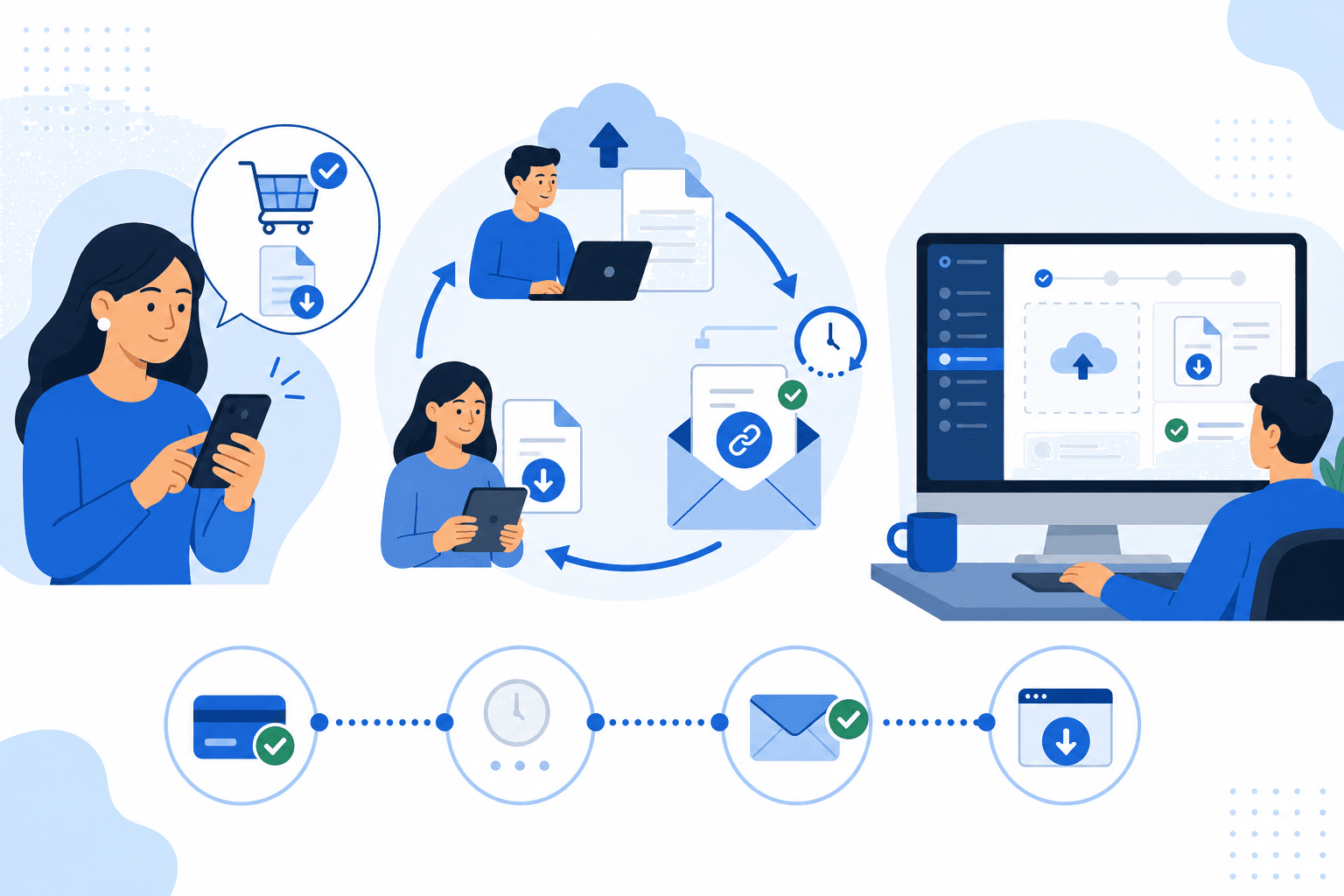
Sell downloadable files on your ecommerce store — upload once in admin, fulfil automatically by email, and skip shipping when the cart is all digital.
Digital Product Delivery
Sell digital products — ebooks, templates, presets, software files, course assets, or any downloadable file — on the same Growupsell ecommerce store you already use for physical goods. You upload the file in the merchant admin, customers pay through your normal checkout, and the platform delivers the file by email without you sending attachments manually.
Digital delivery is built for ecommerce businesses and works alongside your existing catalogue: you can run an all-digital shop, or sell mixed carts where digital lines are fulfilled by email and physical lines follow your usual shipping flow.
What You Can Sell
- Any single file per product (up to 20 MB)
- Any file type — PDF, ZIP, audio, video, documents, and more
- One SKU per digital product (no variants in v1)
- Digital and physical products in the same order
Re-download portals and secure expiring links are out of scope for this release — customers receive their file through the fulfilment email when delivery completes.
How the Flow Works
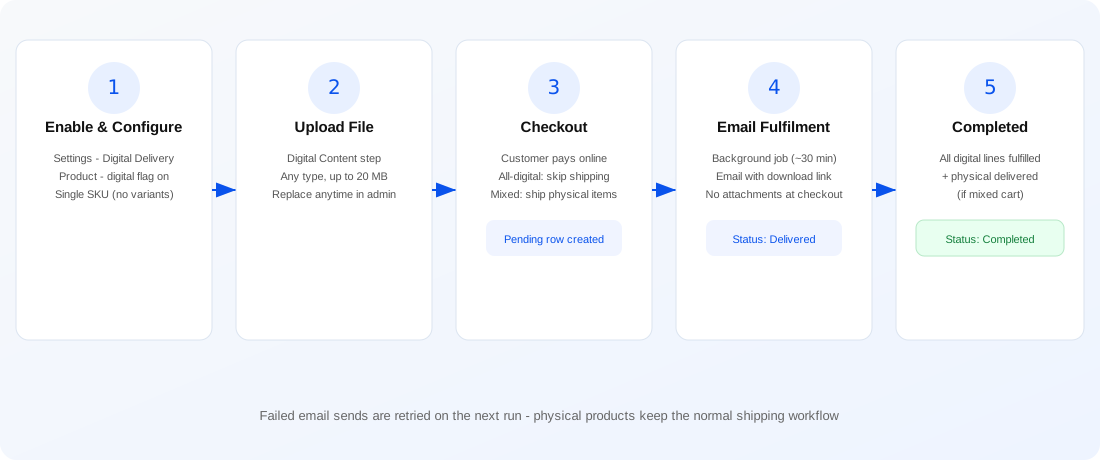
- Enable digital delivery at business level in product settings.
- Mark a product as digital and upload its file in the product wizard.
- Customer checks out (shipping is skipped when the cart is all digital).
- After payment, the backend creates a pending fulfilment row per digital line — no file is sent at checkout.
- A background job (every 30 minutes) sends the customer an email with a download link to open the file.
- Order status moves to Completed when all digital (and physical, if any) fulfilment is done.
Merchant Admin Setup
1. Turn on the business feature
Go to Settings → Product and enable Digital Delivery. Until this is on, digital options stay hidden across the product wizard.
2. Create or edit a digital product
In the product wizard:
- Basic info — turn on Digital Delivery for that product.
- Inventory & pricing — variant options are hidden; digital products use a single SKU path (no size/colour matrix).
- Digital Content — upload the file customers will receive. The admin UI accepts any file type up to 20 MB, with a drag-and-drop style upload area. You can replace the file later; the latest upload becomes the active asset.
Physical product steps (shipping dimensions, variants, etc.) stay out of the way for digital-only items.
3. Manage the file
- Upload — sends the file to the API as multipart form data.
- Remove — soft-deletes the current file; you can upload again when ready.
- Re-upload — creates a new file record and deactivates the previous one, so you always fulfil with the latest version.
Backend & Fulfilment (Under the Hood)
Growupsell handles digital orders without blocking checkout:
| Step | What happens |
|---|---|
| Payment success | For each digital order line, a DigitalOrderProductDeliveryInfo row is created with status pending |
| Mixed cart | Only digital lines get pending rows; physical lines use your existing delivery/shipment flow |
| All-digital cart | No shipping address required on storefront; no Shiprocket shipment is created |
| Background task | Every 30 minutes, pending (and retried failed) rows are processed |
| Customer receives a Digital Product Is Ready message with a button linking to the stored file URL — no invoice or file attachments in the email | |
| Status | Row moves to delivered; order status syncs when all digital and physical fulfilment is complete |
Physical order completion emails and invoice attachments are unchanged — digital fulfilment uses its own template and path so you do not break existing delivery workflows.
Order status rules
- All-digital order — stays in progress until every digital line is email-delivered, then Completed.
- Mixed order — physical lines follow normal shipping status; the order is not marked Completed until both physical delivery and digital email fulfilment are finished.
- Physical-only — existing delivery-based status logic applies as before.
Digital lines are also excluded from return pickup, shipping eligibility, and self-delivery request lists — they never enter the courier workflow.
Storefront Experience
On your ecommerce website:
- All-digital cart — customer can place the order without selecting a delivery address; the Place Order button is enabled once they are logged in.
- Mixed cart — shipping address is still required for the physical items.
- Checkout — same payment gateways and order history as physical orders.
- After purchase — customer gets an email when the background job runs (not instantly at payment). The email includes a clear Open / Download File action that opens the file from your storage URL.
Customers can still open order history to see the order; invoice viewing follows your existing storefront behaviour for paid orders.
Built for Real Operations
- Async fulfilment — checkout stays fast; heavy email work runs on a schedule.
- Retries — failed sends are picked up again on the next cron run.
- Snapshot per line — each digital delivery row links to the
ProductDigitalContentversion active at fulfilment time. - Idempotent pending rows — payment hooks do not duplicate fulfilment records for the same line.
- Gift card / COD paths — pending rows are created when the order is actually placed or paid, consistent with your payment type.
Perfect For
- Digital downloads (templates, presets, printables)
- Ebooks and PDF guides
- Software installers and asset packs
- Course materials and single-file resources
- Merchants who sell both a physical product and a digital add-on in one cart
Get Started
Enable Digital Delivery under product settings, create a product with the digital flag, upload your file on the Digital Content step, and publish. The next customer purchase will flow through checkout, pending fulfilment, and automatic email delivery — with no manual attachment handling on your side.