
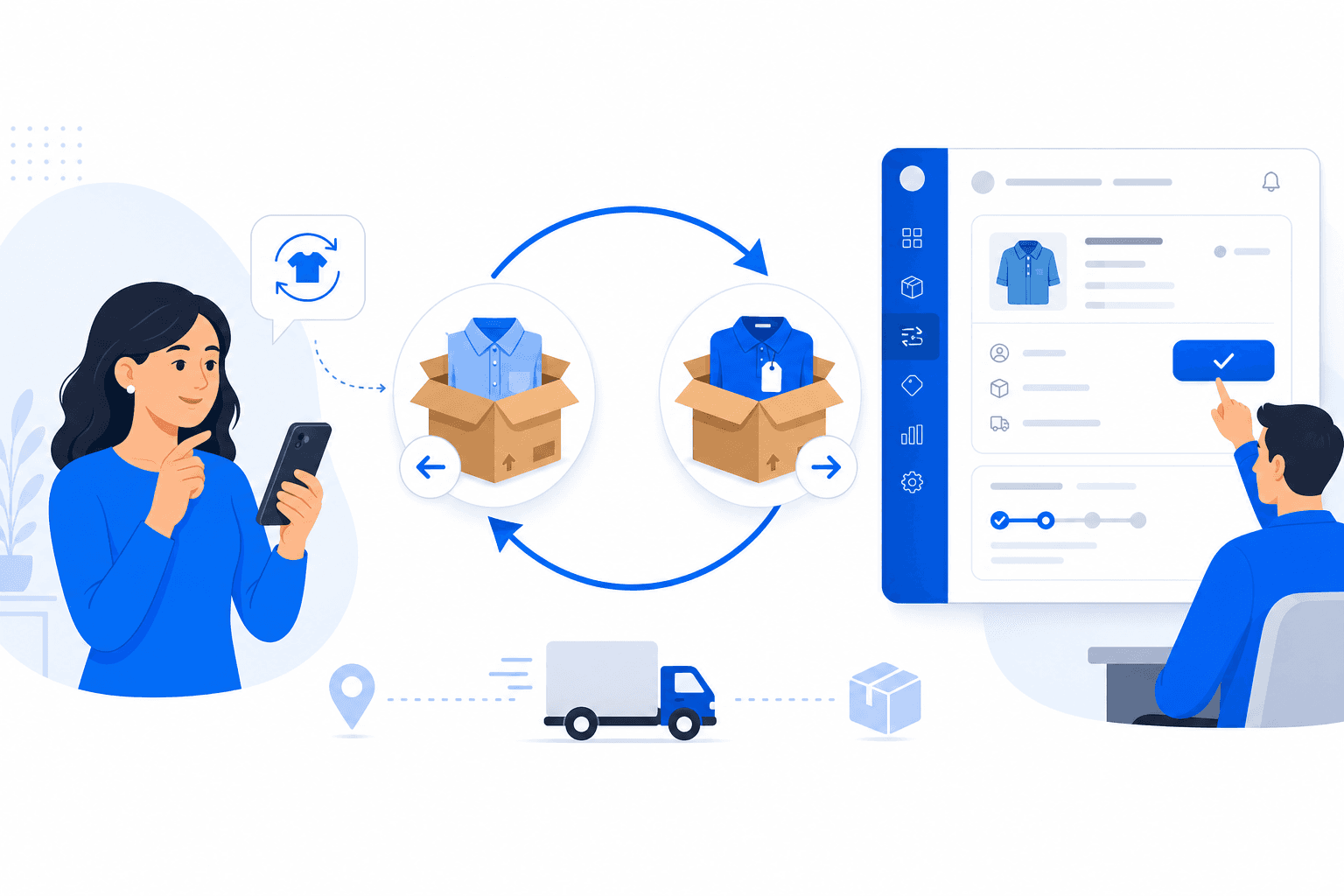
Exchange & Replacement Orders
Let customers request a replacement or exchange from your storefront, and manage the full pickup-and-delivery workflow from your admin panel — with automatic price-difference handling.
Exchange & Replacement Orders
Give your customers a professional post-purchase experience without manual refunds and re-orders. With Growupsell's Exchange & Replacement flow, shoppers can request a replacement (same product) or an exchange (different variant of the same product) directly from their order — and you stay in control from review through pickup, delivery, and settlement.
Replace vs Exchange
- Replace — The customer wants the same SKU again (for example, a defective unit or wrong item received). The new shipment uses the original product variant.
- Exchange — The customer wants a different variant of the same product (size, color, etc.). Cross-product exchange is not supported; the target SKU must belong to the same product they originally bought.
Both flows support partial quantities — a customer can request replace or exchange for specific line items within an order, not only the whole order.
Who Can Start a Request?
- Customers submit requests from the storefront order detail page. Replace and Exchange actions appear only when the line is eligible under your product policy.
- Merchants can create requests on behalf of customers from the admin panel — useful for in-store or phone support. Merchant-created requests skip the approval step and move straight into processing.
Eligibility Rules
Eligibility is driven by the product policy snapshot saved at the time of purchase — not your live policy settings. That protects customers from retroactive policy changes.
- Replace — Allowed when
replacement_daysis greater than zero and the request falls within that window. - Exchange — Allowed when
exchange_daysis greater than zero and the request falls within that window.
The eligibility window starts from:
- Self-pickup orders — order creation date.
- Delivery orders — the delivery date when the item was marked delivered.
If a line was only partially delivered, only the delivered quantity can be requested. Remaining quantity already tied to another return, replace, or exchange request is excluded automatically.
How the Flow Works
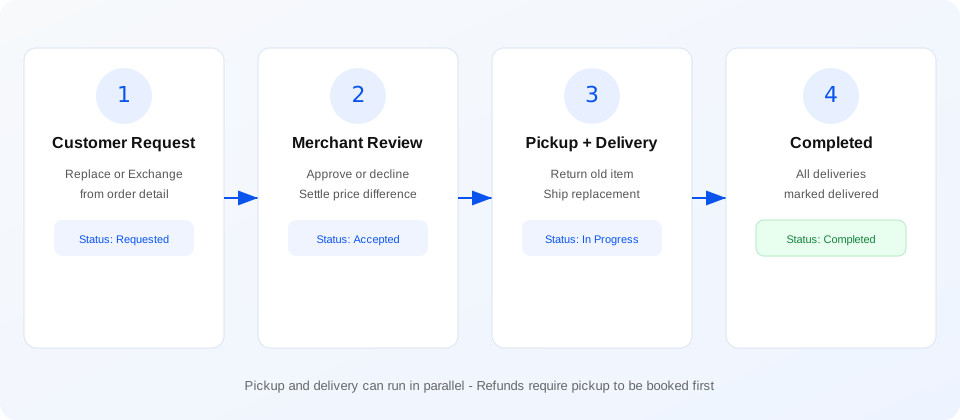
Merchant Workflow
1. Review customer requests
Customer-initiated requests land in Requested status. From the admin panel you can:
- Approve — move the request to Accepted and begin fulfilment.
- Decline — reject with a required message so the customer knows why.
You can also decline an already-accepted request if you discover an issue later.
2. Handle price differences (exchanges)
When the exchanged variant costs more or less than the original, Growupsell calculates the price difference per line:
- Customer owes more — payment is collected automatically when the request is confirmed (online on the storefront, or offline when you create the request in admin).
- Customer is owed a refund — you issue the refund from the exchange detail screen after the customer's original item has been picked up.
- Same price — no payment or refund step; stock is adjusted and fulfilment continues.
There is no separate "Settle" button — settlement runs inline when the request is created or when you process a refund.
3. Book pickup and delivery
Every exchange or replacement is a two-leg shipment:
- Pickup — courier collects the customer's existing item (or a self-pickup row for in-person swaps).
- Delivery — the replacement or exchanged item is shipped to the customer.
You reuse the same delivery tools you already use for orders and returns — Shiprocket, India Post, or self-managed — with a dedicated exchange/replacement purpose. Pickup and delivery can run in parallel once the pickup leg is booked; you do not have to wait for the return to arrive before dispatching the new item.
Important: at least one pickup must be booked before you can create a delivery for the new item. Refund options are also gated until pickup exists, so you cannot refund without arranging return of the original unit.
4. Automatic status updates
You do not manually mark an exchange as "in progress" or "completed":
- Accepted → In Progress — when the first pickup row is created.
- In Progress → Completed — when every delivery leg linked to the exchange is marked Delivered.
For in-person swaps, book self-pickup and self-delivery rows and mark them delivered through the same status tools you use for regular orders.
Shiprocket-backed shipments are polled automatically in the background, so courier status updates can flow through without manual refresh.
Admin Panel Highlights
- Exchange / Replacement section in the sidebar — browse all requests across your business.
- Order detail — view requests tied to a specific order inline.
- Detail view — original item, target SKU, quantity, reason, optional photos, price difference, linked payment, and pickup/delivery cards.
- Create on behalf of customer — pick eligible lines, choose replace or exchange, select a target variant, and collect offline payment when needed.
- Issue refund — same refund-option flow you know from returns, scoped to the exchange once pickup is booked.
- Print shipping labels — bulk-select delivery rows from the Delivery list and print labels as you do for normal shipments.
Storefront Experience
On your ecommerce site, customers see Replace and Exchange actions on eligible order lines. They can:
- Choose quantity and add an optional reason or photo.
- For exchange, pick from available variants of the same product (with live stock and price shown).
- Pay any price difference online through your existing payment gateway.
- Track request status and cancel while the request is still pending merchant review.
Built for Real Operations
- Audit trail — every request, status change, payment, and shipment is tied to the original order.
- Stock control — target SKU stock is reduced at the right moment (on payment, on zero-balance create, or when you issue a refund) — returned units are not auto-restocked; you inspect and adjust inventory separately.
- Online safety — for customer-owes flows, delivery cannot be created until online payment is confirmed, so you never ship before you are paid.
- Policy-driven — eligibility icons on the storefront and admin only appear when the line truly qualifies.
Perfect For
- Apparel and footwear (size/color exchanges)
- Electronics (defective unit replacement)
- Any catalogue where post-purchase swap is part of your service promise
Get Started
Configure replacement and exchange windows on your product policies (replacement days and exchange days). Once enabled, eligible customers will see the options on delivered orders, and your team can manage the full lifecycle from the merchant admin panel under Exchange / Replacement.