
India Post Delivery Support
Ship with India Post from Growupsell — upload barcode CSVs once, then consume barcodes one by one as you book deliveries for orders and exchanges.
India Post Delivery Support
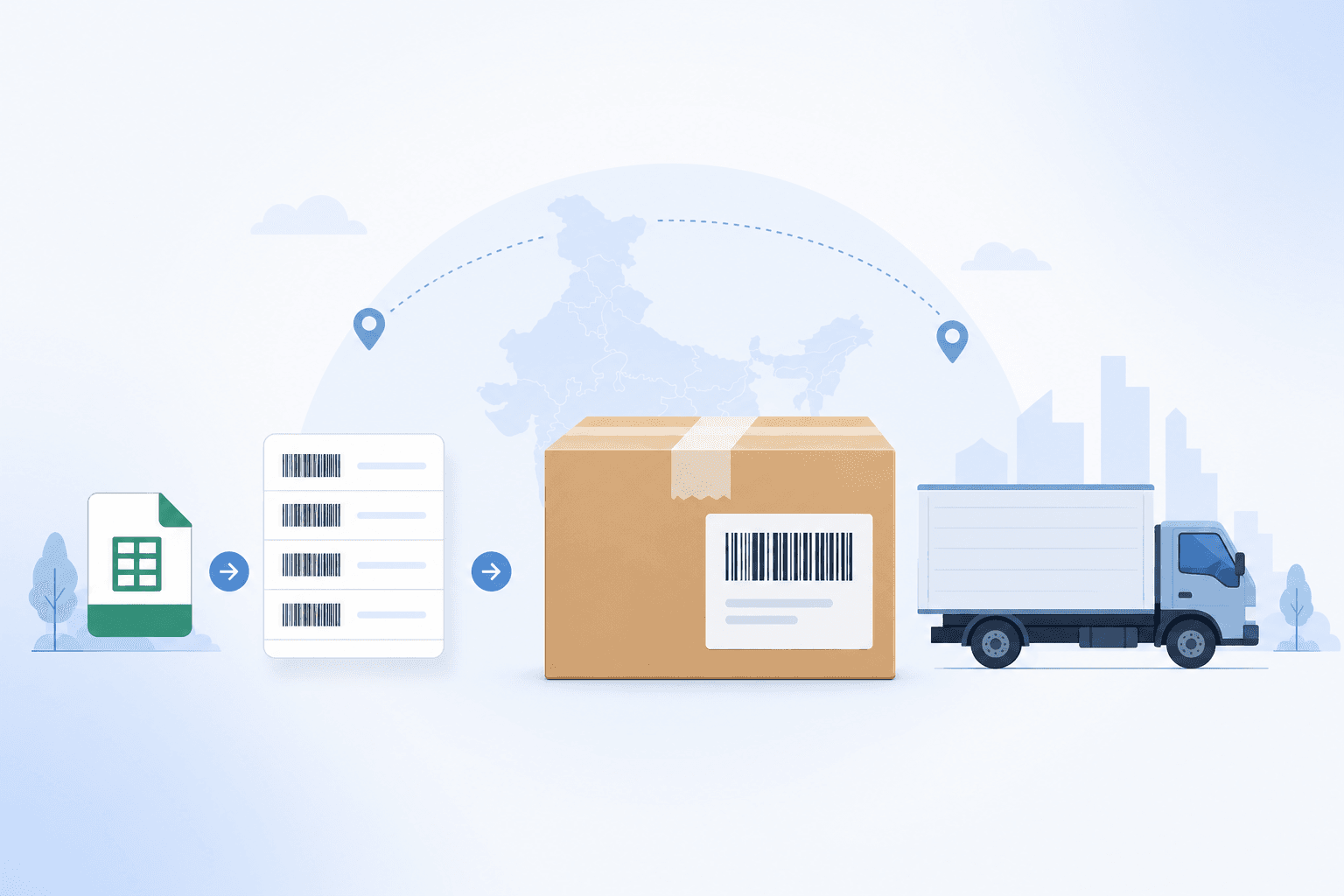
Many Indian merchants already book parcels through India Post. Growupsell connects that workflow to your admin panel: configure India Post as a delivery partner, upload the barcode list India Post gives you, and when you create a shipment we assign the next unused barcode automatically as the tracking number.
No manual copy-paste of AWB numbers at booking time — and every shipment stays visible next to Shiprocket and self-managed deliveries.
Why India Post in Growupsell?
- Official barcodes — Use the barcode pool India Post issues to your business account.
- One-by-one consumption — Each delivery order takes the next not-used barcode and marks it used.
- Same fulfilment tools — Book India Post shipments from order detail (and exchange/replacement delivery) using the same delivery modal you already know.
- Printable labels — Shipping labels include the India Post tracking barcode (and biller ID when configured).
- Status control — Mark Delivered / Undelivered for India Post rows the same way you do for self delivery.
How the Flow Works
Getting Started
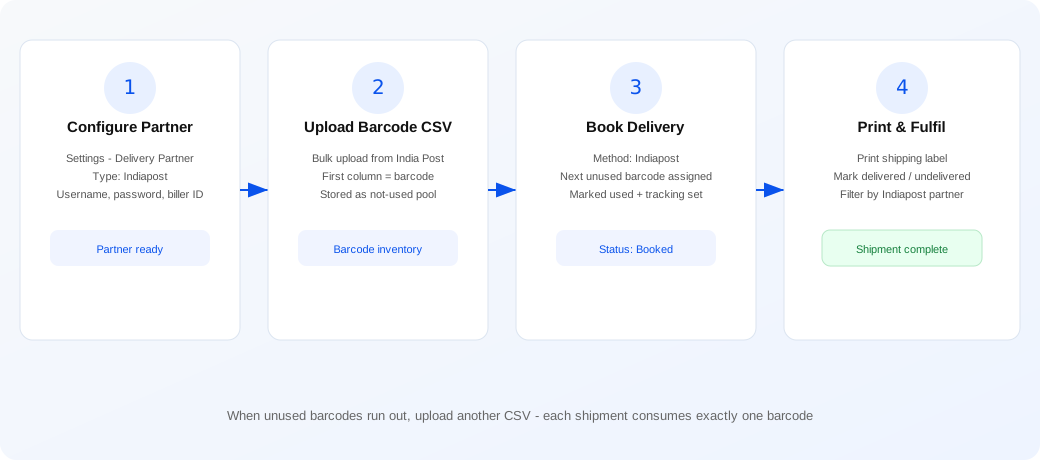
1. Add India Post as a delivery partner
In Settings → Delivery Partner, create a partner with type Indiapost. Provide:
- Username / password — credentials for your India Post integration account
- Biller ID — shown on printable labels where required
- A clear label so your team recognizes this partner in filters and shipment cards
Once saved, India Post appears as a shipping method when you create a delivery order.
2. Upload your barcode CSV
India Post typically supplies a list of barcodes for your account. In Growupsell:
- Open the partner’s Indiapost Barcode page (linked from the delivery partner list).
- Click Bulk Upload.
- Select a CSV file with barcodes in the first column (an optional
barcodeheader is fine). - Confirm the count and upload.
Barcodes are stored against your business as not-used. You can:
- Browse the unused pool (paginated list)
- Flush not-used barcodes if you need to clear the pool and re-upload a fresh file
Duplicate not-used barcodes are rejected so the pool stays clean.
3. Book a delivery — barcode assigned automatically
When an order is ready to ship (accepted / in progress for COD or delivery types):
- Open the order and choose Ready for delivery (or create a delivery from the delivery tools).
- Select Indiapost as the method.
- Choose products (and quantities) for this shipment.
- Submit.
Behind the scenes Growupsell:
- Picks the first available not-used barcode for your business
- Marks that barcode used
- Creates a Delivery Order with that barcode as the tracking number, courier partner India Post, and status Booked
- Links the shipment lines to the order (or to an exchange/replacement when that is the purpose)
If no unused barcodes remain, booking fails with a clear message — upload another CSV before you continue shipping.
Labels, Tracking & Status
- Print label — Self and India Post labels are generated in-app (including barcode rendering). Use single-shipment print from the delivery card or bulk print from the Delivery list.
- Tracking number — Always the India Post barcode consumed at booking time. Search and filter deliveries by partner type Indiapost.
- Status updates — Update India Post shipments to Delivered or Undelivered from the shipment card (same pattern as self delivery). Cancel is available while the shipment is still mutable, with confirmation first.
Works With Exchange & Replacement
India Post is not limited to first-mile order fulfilment. When you ship a replacement or exchange outbound leg, you can still choose Indiapost — the same barcode pool is used, and the delivery row is tagged for exchange/replacement so it stays separate from normal order shipments in filters and reporting.
Admin Panel Highlights
- Delivery Partner — Indiapost type with credentials and biller ID
- Indiapost Barcode — bulk CSV upload, unused list, flush unused
- Delivery create — method Indiapost → auto tracking from barcode pool
- Delivery list — filter by partner (including Indiapost), print labels in bulk
- Order / exchange detail — Indiapost shipment cards with print and status actions
Perfect For
- Merchants who already book volume through India Post
- Businesses that prefer government postal network for domestic parcels
- Teams that want barcode inventory managed in software instead of spreadsheets
- Catalogues that mix India Post with Shiprocket or self delivery on a per-shipment basis
Get Started
Add an Indiapost delivery partner, upload your India Post barcode CSV, then create your next delivery with method Indiapost. Growupsell will assign barcodes one by one until the pool runs out — then upload the next file and keep shipping.